SendToAI: A Multi-Engine AI Action Runner for iPhone and Mac
An early look at SendToAI—a SwiftUI app that lets you run AI-powered actions across Apple Intelligence, ChatGPT, Gemini, and Claude with a single tap. Still a proof of concept, but the architecture is taking shape.
Quick Links
- Product Website: sendtoai.app
- Demo Download: SendToAI 1.0 (DMG) (macOS)
Sometimes an idea starts as a scratch—a "what if I could just send this text to an AI and get something useful back in one tap?" That itch became SendToAI, a SwiftUI application for iPhone and Mac that's still very much a proof of concept, but is starting to show some real promise.
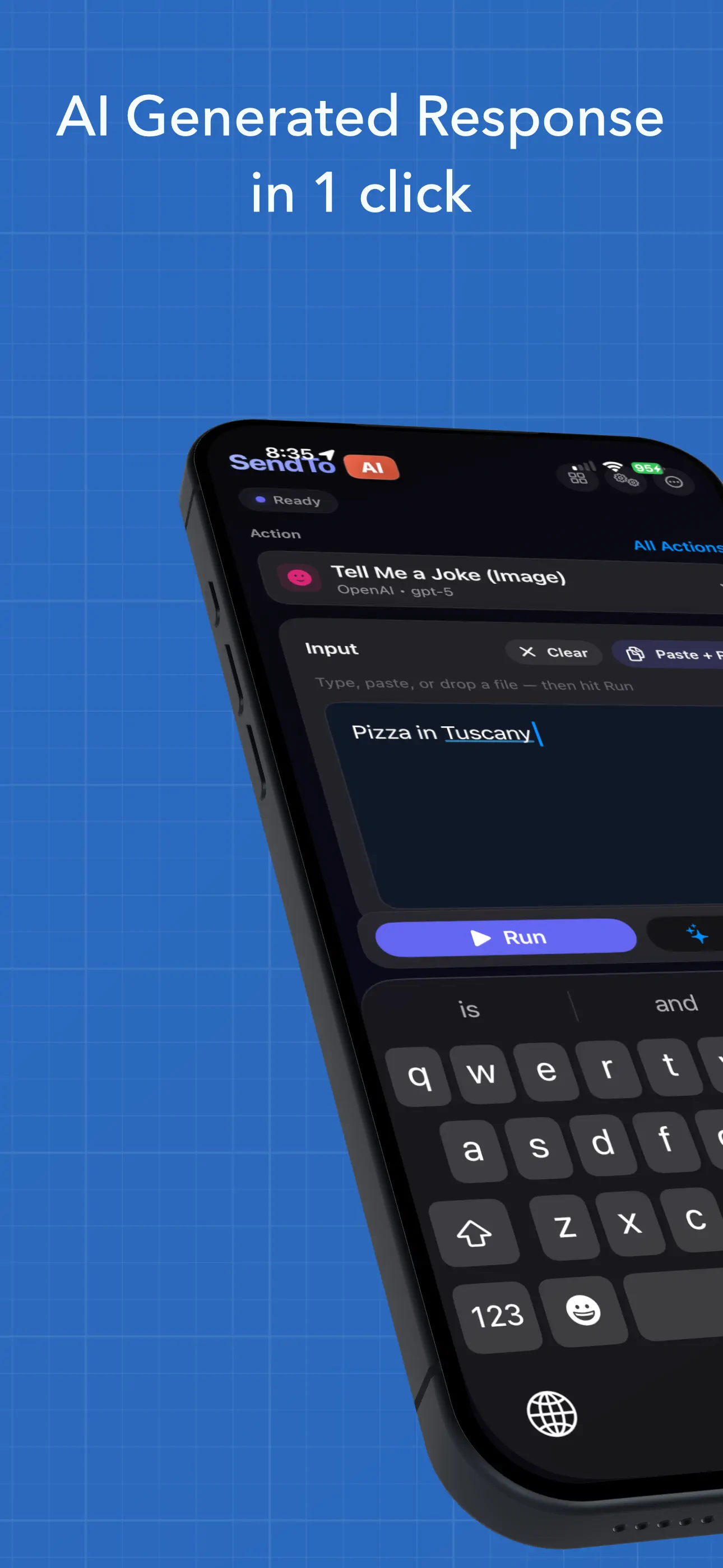
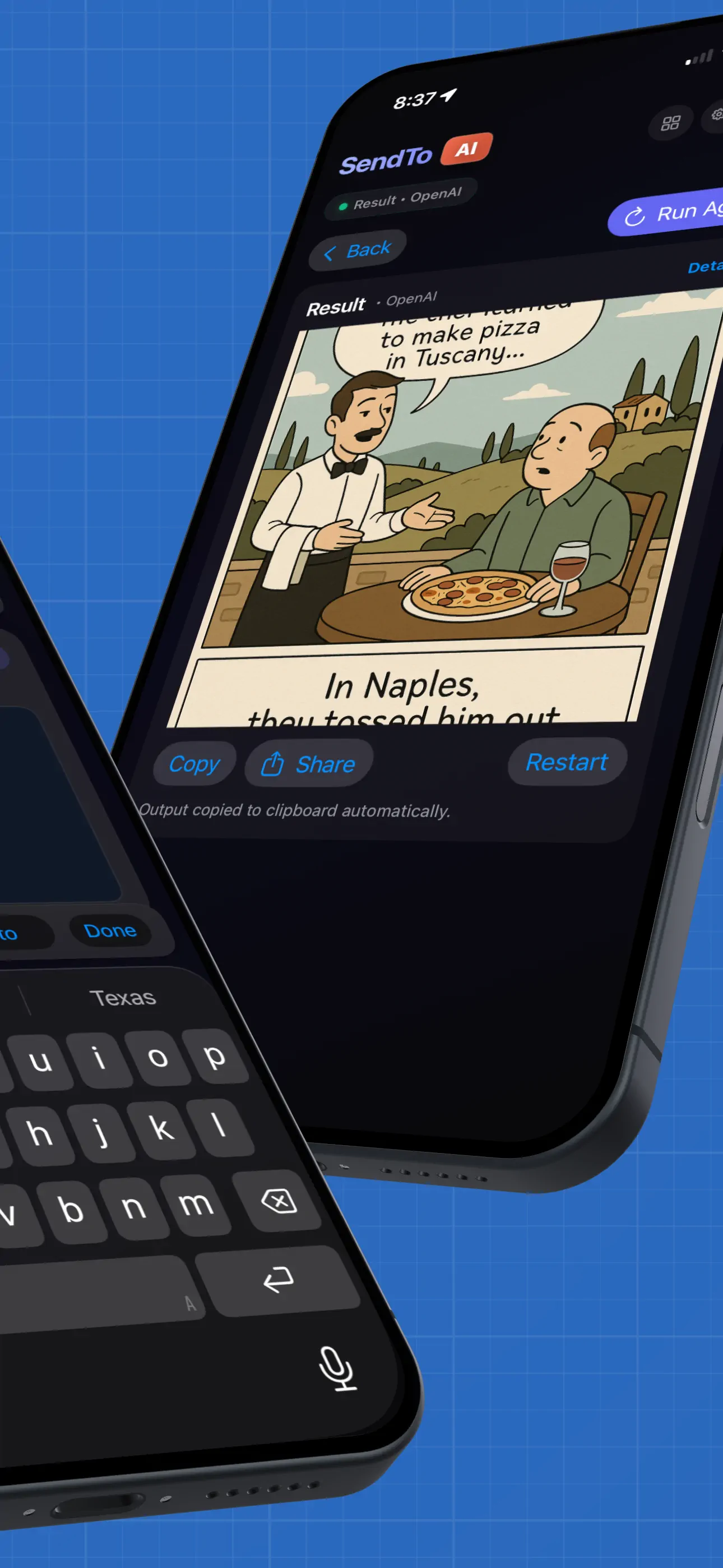
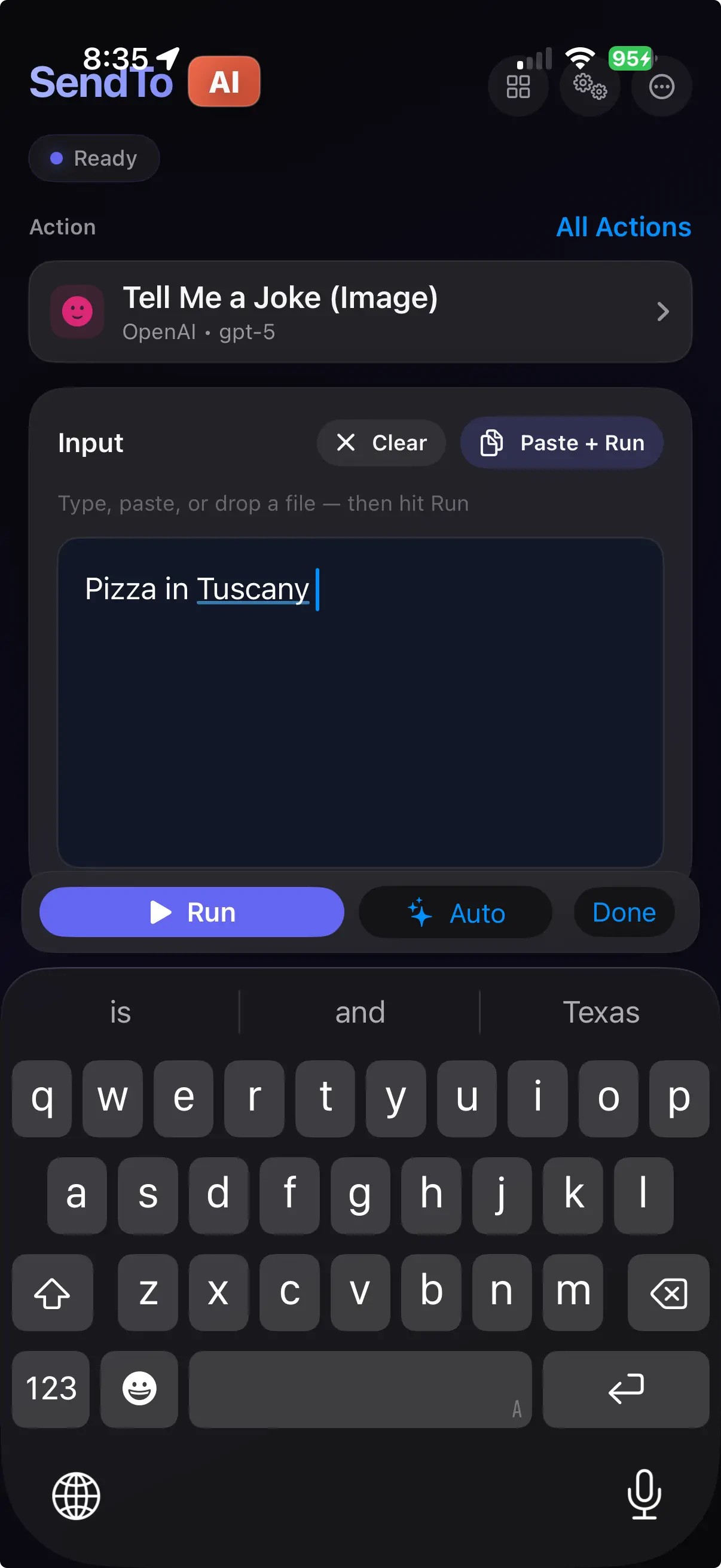
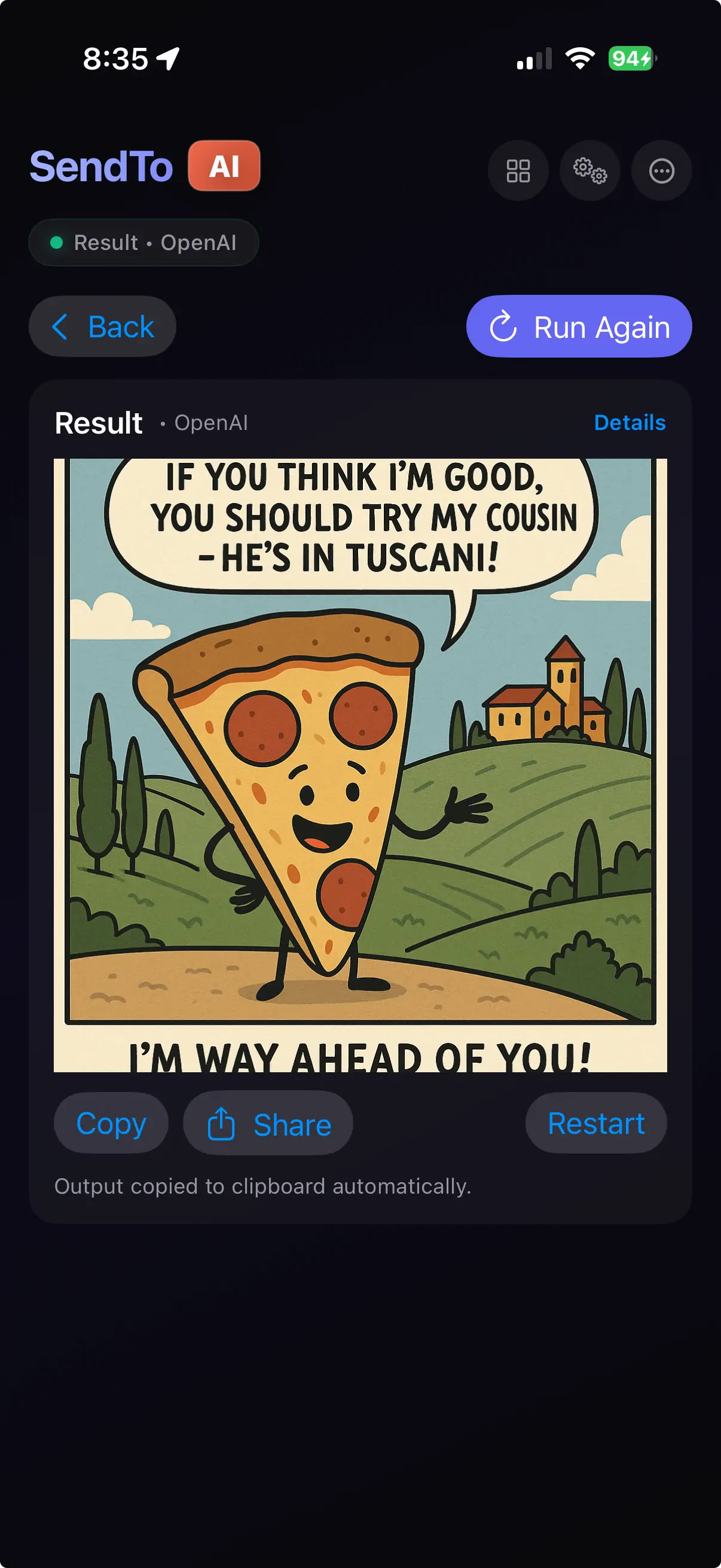
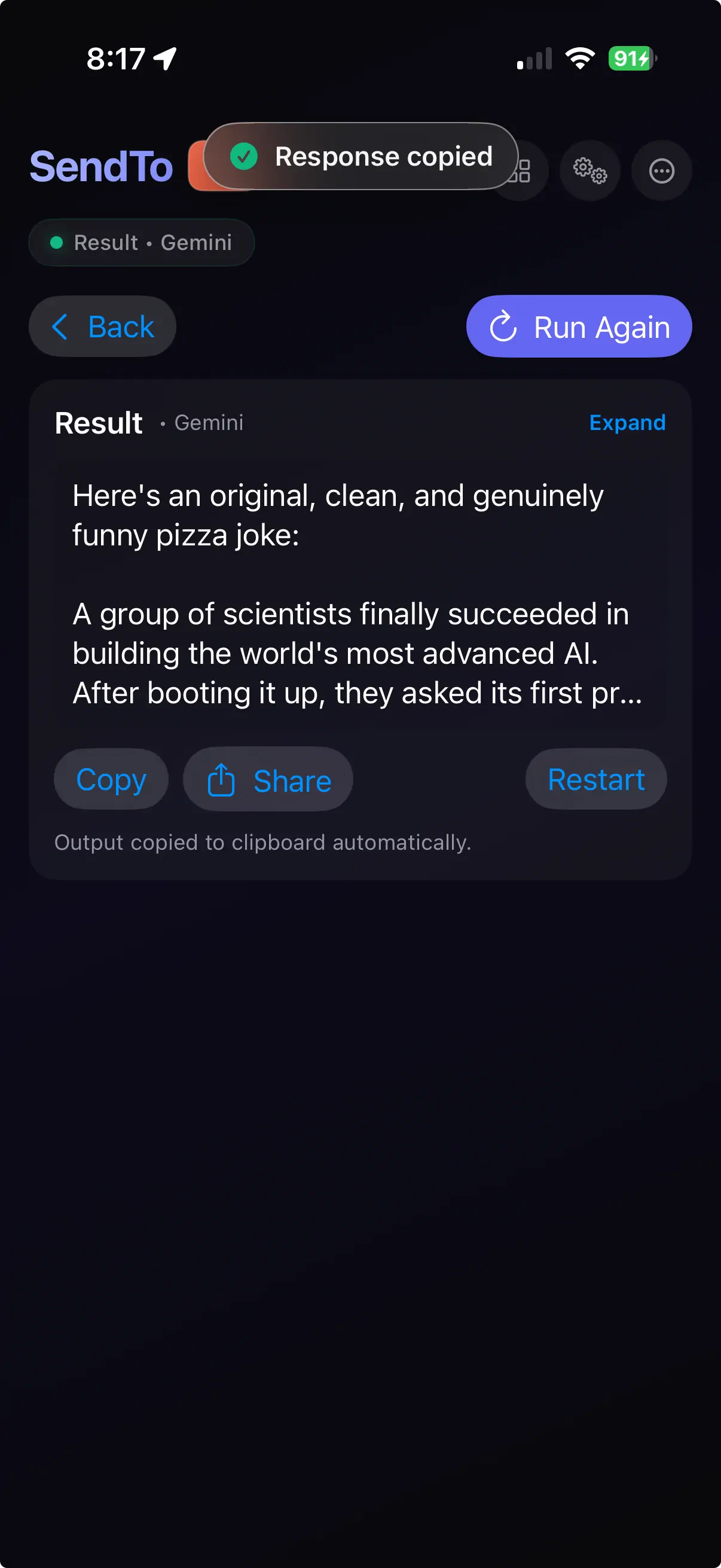
The premise is simple: you pick an action, provide some input, and the app routes it to the AI engine of your choice—Apple Intelligence, OpenAI, Google Gemini, or Anthropic Claude. One tap. Result in your clipboard, in-app, or piped into a system action like composing an email or creating a calendar event.
It's early. But the bones are interesting enough to write about.
The Idea: One Interface, Many Engines
Every AI provider has its own app, its own interface, its own way of doing things. I wanted something simpler—a single canvas where I define what I want done once, and swap the engine underneath without rethinking the prompt or the workflow.
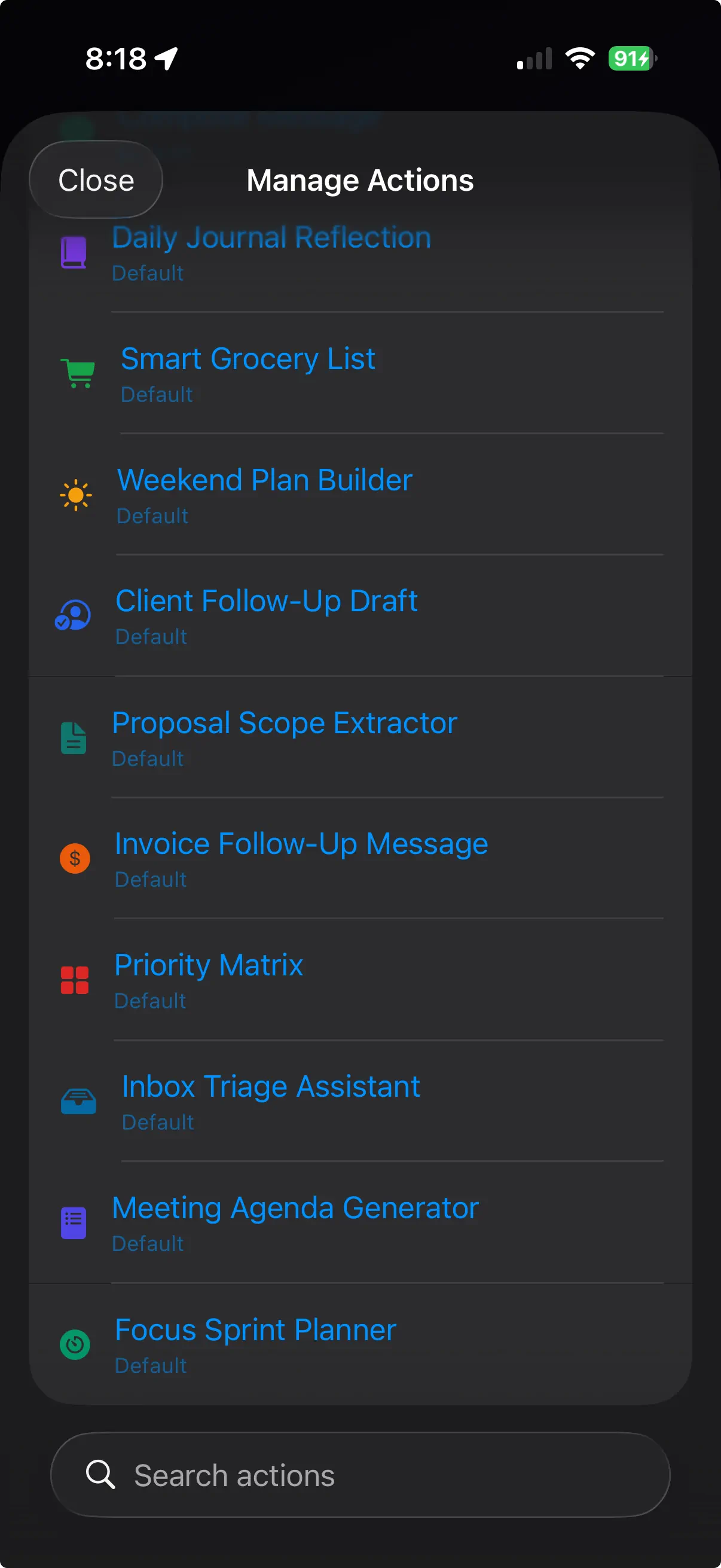
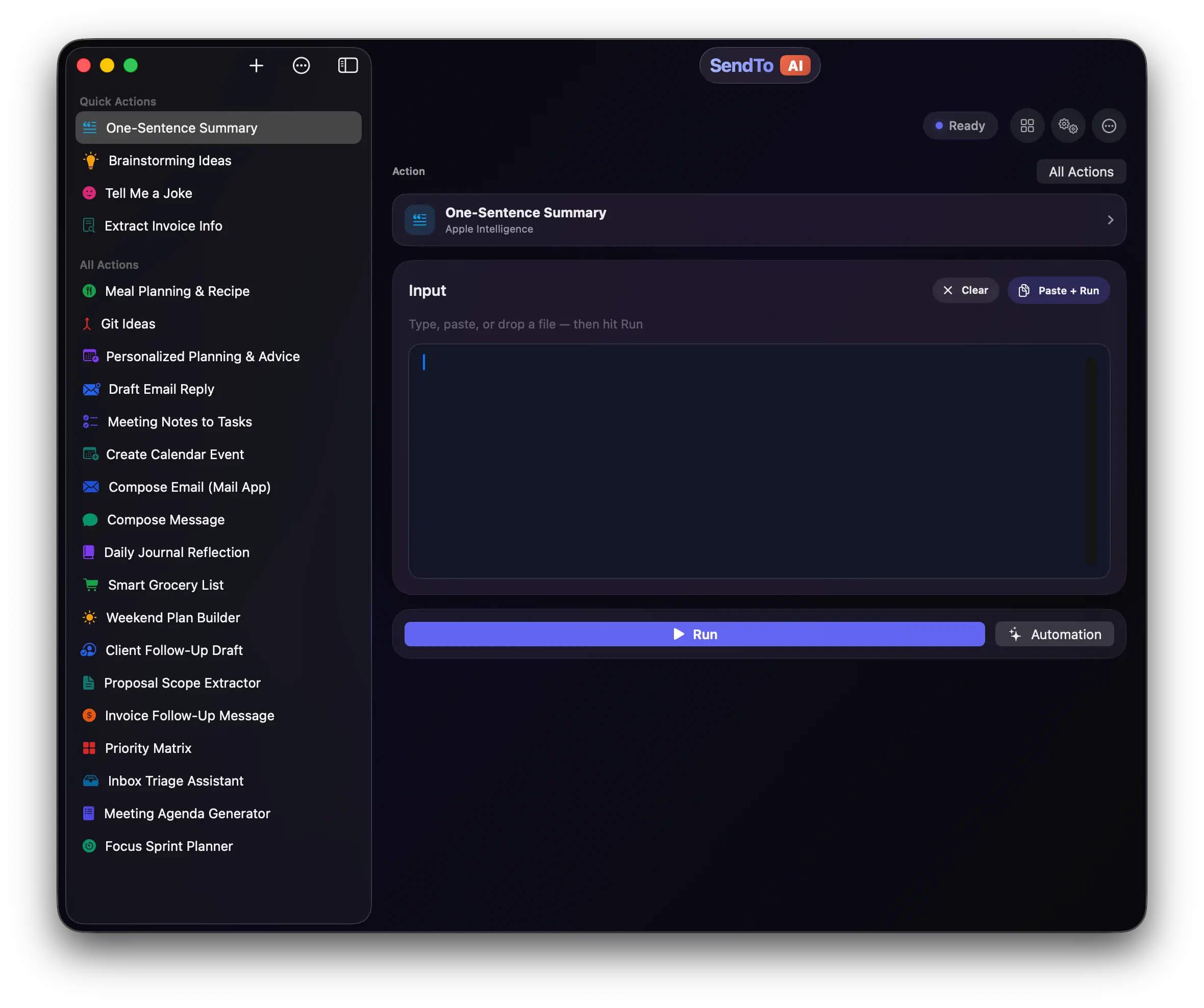
SendToAI introduces the concept of Actions—reusable prompt templates that you configure once and run repeatedly. Each action has a name, an icon, a system prompt with template variables like {User_Input} and {Current_Date}, and a designated AI provider. You build your personal toolkit of actions, pin the ones you use most, and fire them from the home screen.
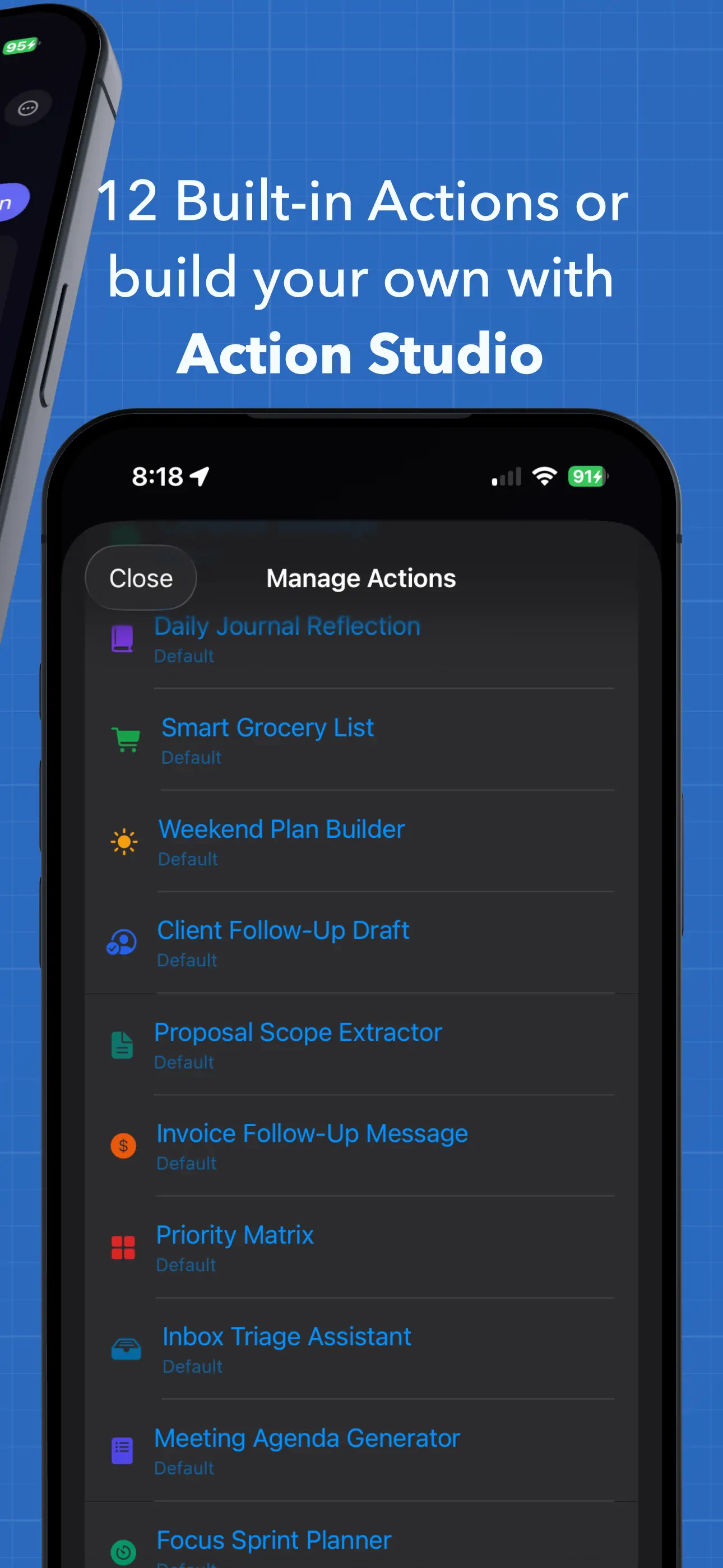
The app ships with a starter pack of built-in actions to get you going:
- One-Sentence Summary — distill anything into a single sentence
- Brainstorming Ideas — generate 12 ideas organized by impact
- Tell Me a Joke — because why not
- Extract Invoice Info — pull structured JSON from invoice text
- Draft Email Reply — compose a polite response
- Priority Matrix — sort tasks into an Eisenhower matrix
- Daily Journal Reflection — turn raw journal entries into structured insights
- Meeting Agenda Generator — time-boxed agendas from freeform notes
- ...and more, including calendar events, grocery lists, and focus sprint planners
Action Studio: Build Your Own
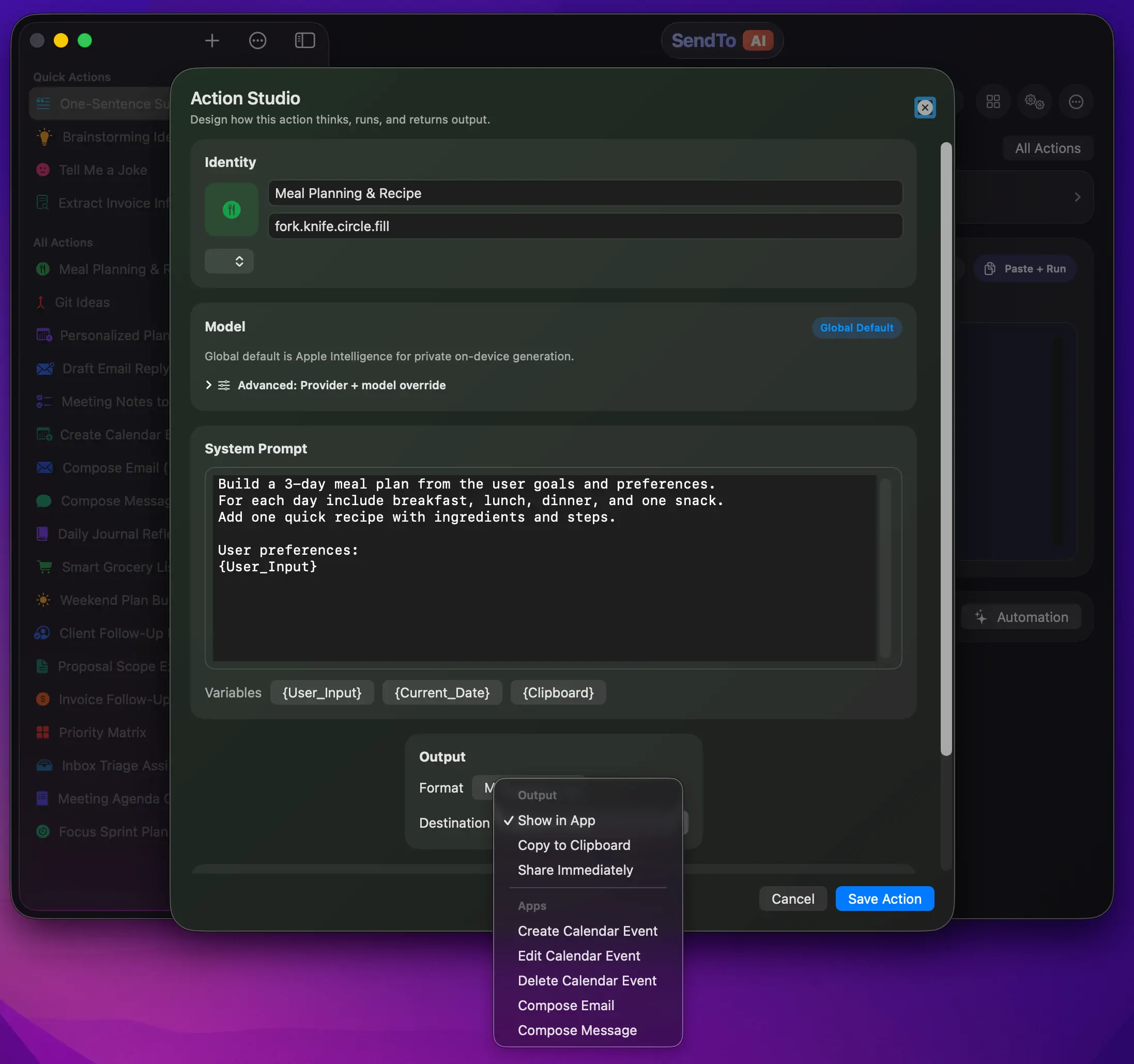
Beyond the starter pack, Action Studio lets you create custom actions from scratch. You define the system prompt, pick an output format (text, markdown, JSON, PDF, or image), choose a color and icon, and assign a provider—or leave it on "Use Default" so it follows your Engine Room settings.
The prompt templating system is straightforward but effective:
enum PromptRenderer {
    static func render(systemPrompt: String, userInput: String) -> String {
        let dateFormatter = DateFormatter()
        dateFormatter.dateStyle = .long
        dateFormatter.timeStyle = .short
        let now = dateFormatter.string(from: Date())

        let clipboard = PlatformClipboard.readText()
        var rendered = systemPrompt
            .replacingOccurrences(of: "{User_Input}", with: userInput)
            .replacingOccurrences(of: "{Current_Date}", with: now)
            .replacingOccurrences(of: "{Clipboard}", with: clipboard)

        if !rendered.contains(userInput) {
            rendered += "\n\nInput:\n\(userInput)"
        }
        return rendered
    }
}
Three template variables—{User_Input}, {Current_Date}, and {Clipboard}—cover most use cases. The renderer also has a safety net: if the user's input doesn't appear anywhere in the rendered prompt, it appends it automatically. Simple, but it prevents the "I forgot to include the placeholder" mistake.
The Engine Room: BYOK (Bring Your Own Key)
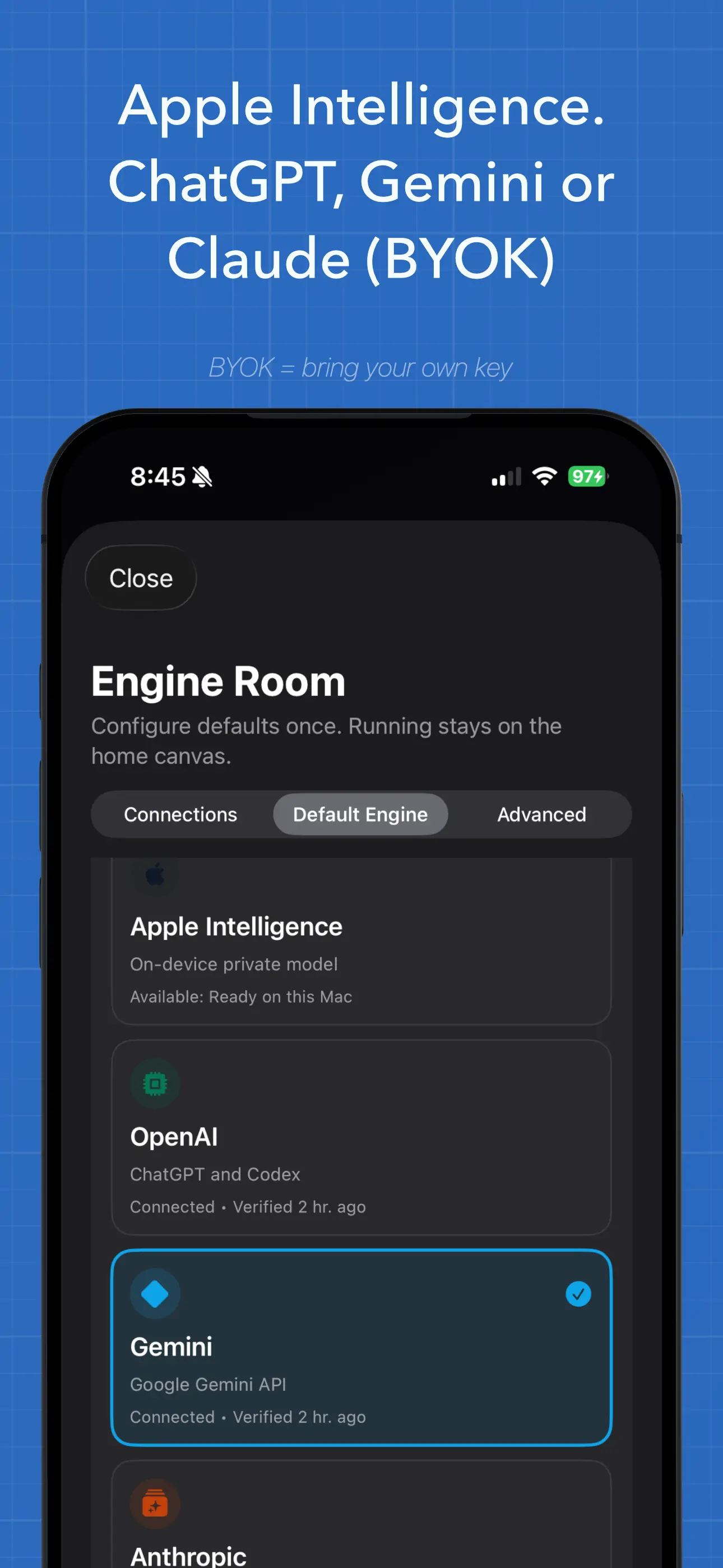
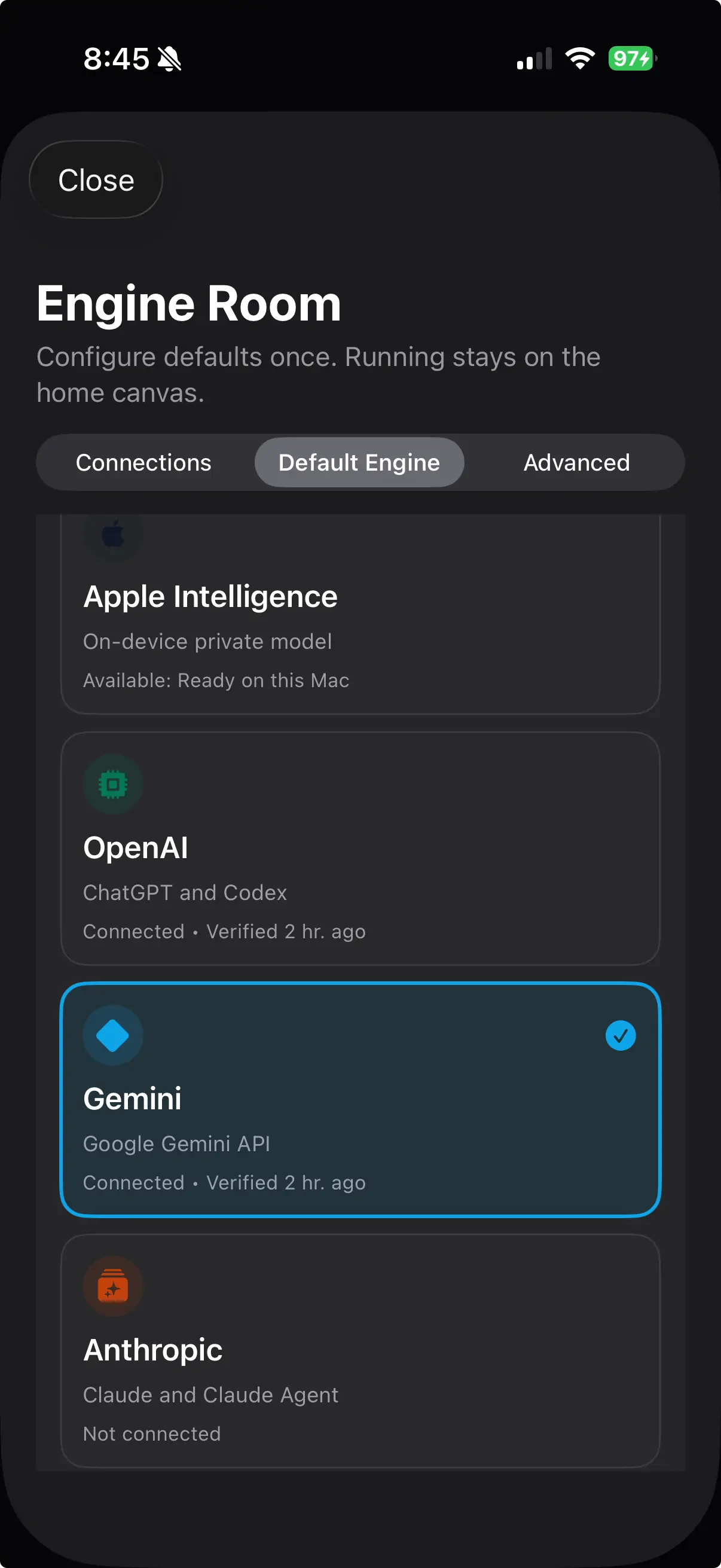
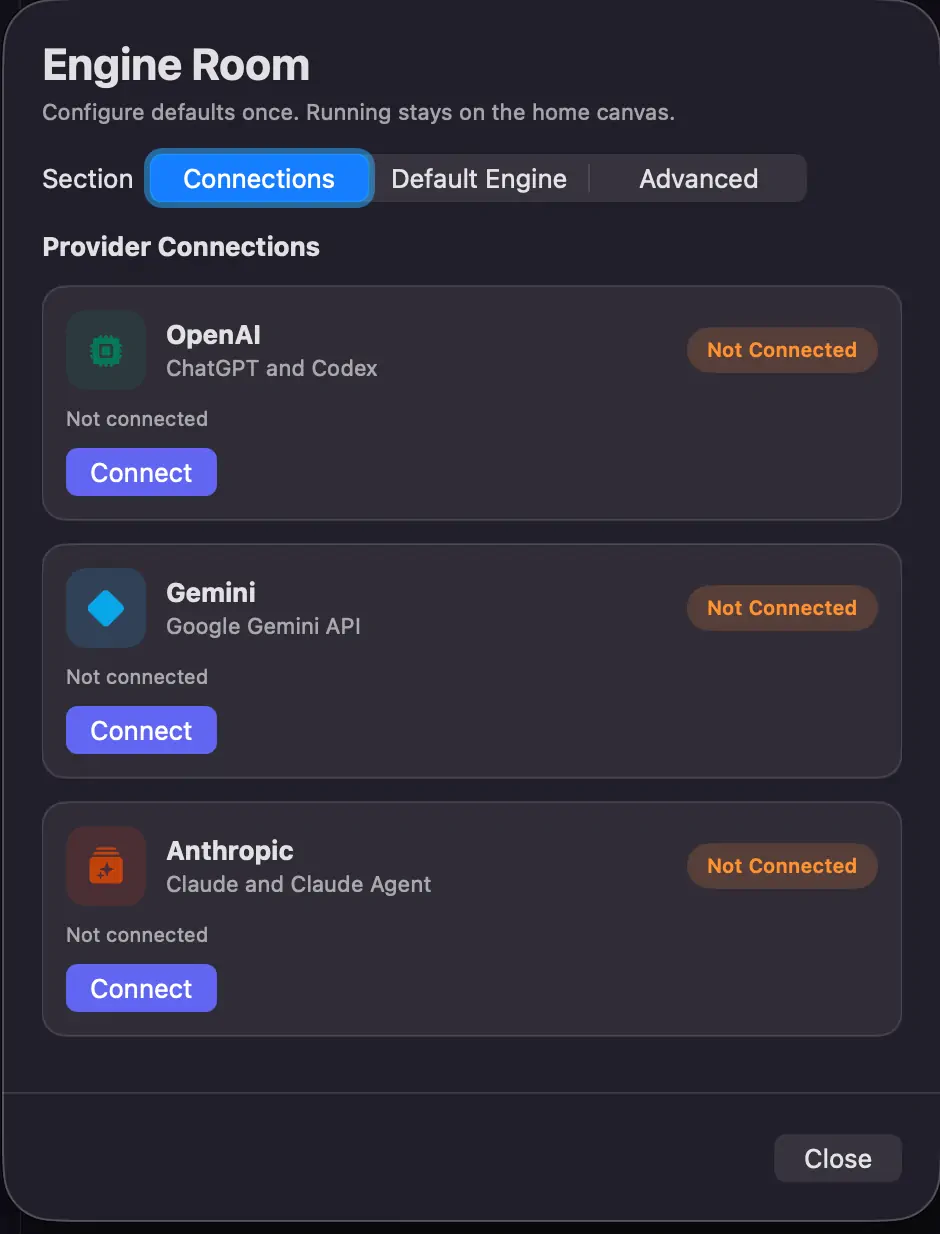
This is where things get interesting architecturally. SendToAI doesn't pick favorites—it supports five AI providers:
| Provider | Description | Key Storage |
|---|---|---|
| Apple Intelligence | On-device, private, no API key needed | N/A |
| OpenAI | GPT-5, GPT-4o, image generation | Keychain |
| Google Gemini | Gemini 2.5 Pro, Flash, Flash-Lite | Keychain |
| Anthropic | Claude Opus 4.1, Sonnet 4.5, Haiku 3.5 | Keychain |
| Local Preview | Offline heuristic fallback, no AI | N/A |
The BYOK model means your API keys stay on your device, stored in the Keychain with kSecAttrAccessibleAfterFirstUnlockThisDeviceOnly protection. No server, no accounts, no data leaving your device unless you explicitly choose a cloud provider.
final class KeychainCredentialStore: CredentialStore {
    func setAPIKey(_ value: String, for provider: AIProvider) throws {
        // ...
        updateQuery[kSecAttrAccessible as String] =
            kSecAttrAccessibleAfterFirstUnlockThisDeviceOnly
        let addStatus = SecItemAdd(updateQuery as CFDictionary, nil)
        // ...
    }
}
Each provider is modeled as a Swift actor for thread-safe, concurrent API access—OpenAIService, GeminiService, AnthropicService, and AppleIntelligenceService all follow the same pattern.
Apple Intelligence: On-Device and Private
The Apple Intelligence integration uses the FoundationModels framework, available on iOS 26+ and macOS 26+. The service checks availability at runtime and reports detailed status—whether the device is eligible, whether Apple Intelligence is enabled, and whether model assets are ready:
#if canImport(FoundationModels)
import FoundationModels
#endif

enum AppleIntelligenceInspector {
    static func snapshot() -> AppleIntelligenceStatusSnapshot {
        if #available(iOS 26.0, macOS 26.0, visionOS 26.0, *) {
            let model = SystemLanguageModel.default
            if model.isAvailable {
                return AppleIntelligenceStatusSnapshot(
                    isAvailable: true,
                    title: "Available",
                    details: "Ready on this Mac"
                )
            }
            // Reports specific unavailability reasons...
        }
    }
}
When running, it creates a LanguageModelSession with optional system instructions and conservative generation options:
let session = LanguageModelSession(model: model, instructions: finalInstructions)
let options = GenerationOptions(temperature: 0.2, maximumResponseTokens: 2048)
let response = try await session.respond(to: prompt, options: options)
The low temperature (0.2) keeps responses focused—good for structured extraction and summaries, which is what most built-in actions target.
System Actions: Beyond Text Generation
One of the more ambitious features is system action destinations. Instead of just showing you AI-generated text, an action can route its output directly into system services:
- Create Calendar Event — parses AI output and creates an
EKEventvia EventKit - Compose Email — opens a Mail compose sheet with pre-filled fields
- Compose Message — opens Messages with a draft ready to send
The SystemActionOrchestrator coordinates this, parsing the AI's structured output and handing it off to the appropriate system service:
@MainActor
final class SystemActionOrchestrator {
    func execute(destination: SystemDestinationKind, inputText: String)
        async throws -> SystemActionExecutionResult {
        switch destination {
        case .calendarCreateEvent:
            let result = try await calendarService.createEvent(from: inputText)
            return makeCalendarResult(label: "Calendar", requestText: inputText, result: result)
        case .mailCompose:
            let draft = CommunicationDraftParser.parseEmailDraft(from: inputText)
            let outcome = try await communicationService.composeEmail(draft: draft)
            return makeComposeResult(/* ... */)
        // ...
        }
    }
}
It's still rough around the edges—the natural language parsing for calendar events and email drafts needs work—but the architecture of having actions that do things beyond generating text feels right.
Attachments: Images, PDFs, and SVGs
SendToAI can ingest attachments from the clipboard or dropped files—images (PNG), PDFs, and SVGs. The AttachmentIngestService handles each type differently:
enum AttachmentIngestService {
    static func ingestDroppedFiles(_ urls: [URL]) async -> AttachmentIngestResult {
        for url in urls {
            switch url.pathExtension.lowercased() {
            case "png":
                // Direct image attachment
            case "pdf":
                // Attach + extract text with PDFKit
            case "svg":
                // Rasterize to PNG via SVGRasterizer, then attach
            }
        }
    }
}
PDFs get their text extracted automatically via PDFKit, and that extracted text rides along with the attachment so providers that don't support vision can still work with the content. SVGs are rasterized to PNG before being sent to providers—a practical compromise since none of the AI APIs handle SVG natively.
Siri Shortcuts / App Intents
The app exposes its actions to Siri Shortcuts via the AppIntents framework:
@available(iOS 16.0, macOS 13.0, *)
struct RunSendToAIActionIntent: AppIntent {
    static let title: LocalizedStringResource = "Run SendToAI Action"
    static let openAppWhenRun: Bool = false

    @Parameter(title: "Action")
    var action: SendToAIActionEntity

    @Parameter(title: "Input")
    var input: String

    func perform() async throws -> some IntentResult & ProvidesDialog {
        let viewModel = await MainActor.run { AppViewModel() }
        let payload = try await viewModel.runActionForExternalInvocation(
            action: modelAction, inputText: preparedInput
        )
        // ...
    }
}
This means you can trigger any SendToAI action from Shortcuts, Focus modes, or automation workflows—without opening the app. The intent runs headless when possible, only requiring the foreground for compose-based system actions.
Cross-Platform: iPhone and Mac
The app adapts its layout based on platform using SwiftUI's horizontalSizeClass:
struct ContentView: View {
    @Environment(\.horizontalSizeClass) private var horizontalSizeClass

    var body: some View {
        if isCompact {
            NavigationStack {
                ActionHubView()
            }
        } else {
            NavigationSplitView {
                ActionSidebarView()
            } detail: {
                ActionHubView()
            }
            .navigationSplitViewStyle(.balanced)
        }
    }
}
On iPhone, it's a single-column NavigationStack. On Mac (and iPad), it becomes a NavigationSplitView with a sidebar listing pinned and all actions. Same codebase, one SwiftUI conditional.
The Architecture at a Glance
The codebase follows a clean MVVM pattern:
- Models —
AIAction,AIProvider,OutputFormat,ResultPayload,SystemDestinationKind - ViewModels — A single
AppViewModel(annotated@MainActor) that owns state, coordinates services, and manages the action lifecycle - Views — SwiftUI views with sheets, modals, and adaptive layouts
- Services —
actor-based provider services (OpenAIService,GeminiService,AnthropicService,AppleIntelligenceService), plusKeychainCredentialStore,SystemActionOrchestrator,AttachmentIngestService,PDFExportService, andPromptRenderer - Storage —
LocalStorepersists actions, provider settings, connections, and usage data viaUserDefaultswith App Group support
The use of Swift actor isolation for all network services is a nice pattern—it eliminates data races without littering the code with locks or dispatch queues. Each provider service is fully self-contained and stateless per request.
What's Next
Like I said—this is a proof of concept. There's a lot to figure out:
- Streaming responses — right now everything is request/response; streaming would make long generations feel much more responsive
- Share extension — early version is integrated but needs to be drastically improved
- Action import/export — share action configurations with others
- Richer attachment support — beyond PNG, PDF, and SVG
- Usage analytics — the
DailyUsageLedgerinfrastructure is there, but the insights could be much richer - Vision-based actions — leverage multimodal capabilities more deeply
But even at this stage, the core loop works: pick an action, provide input, get a useful result—across five different AI providers, on both iPhone and Mac, with your keys stored locally and no server in between.
Sometimes the best proof of concept is the one you actually use every day. I've been using SendToAI for my own workflows—quick summaries, email drafts, pull request title and descriptions from diff—and it's starting to feel less like a prototype and more like a tool I'd miss if it disappeared.
Stay tuned.