
Building MarkView.app in 90 Minutes with Bolt.new: A Developer's Journey
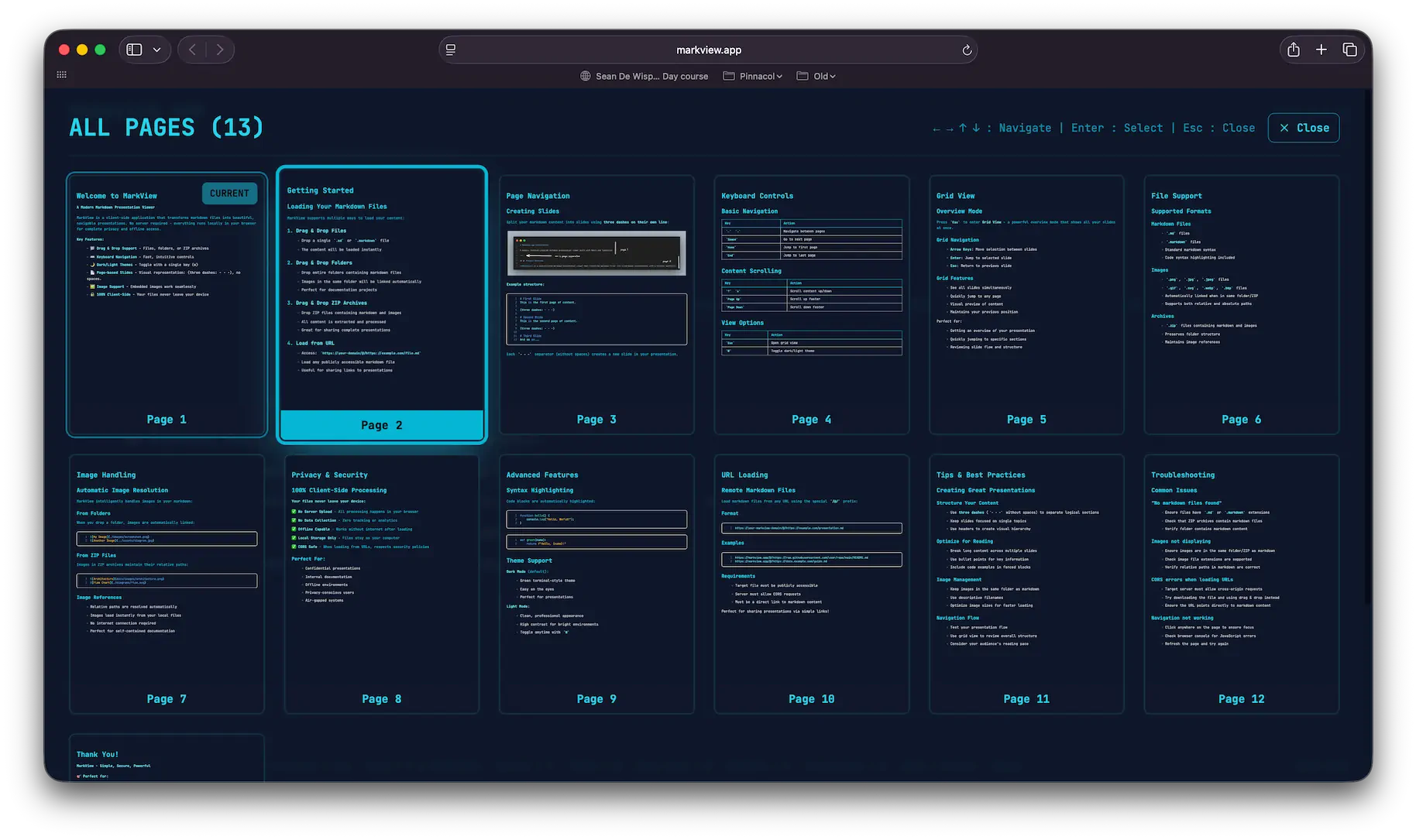
Sometimes the best development experiences come from those moments when everything just clicks. Last week, I had one of those experiences while building MarkView.app - a markdown presentation viewer that transforms simple .md files into beautiful, navigable slide decks. What started as a simple idea turned into a fully-featured application in just 90 minutes, thanks to an incredible AI-powered development platform called Bolt.new.
Quick Links
- Live App: MarkView.app
- User Guide: Interactive Tutorial
- Example: Drop any
.mdfile or try the guide above
The Spark: Terminal-Inspired Presentations
The idea was simple: I wanted a way to turn markdown files into presentations that felt like using a terminal. No complex PowerPoint setups, no heavy frameworks - just drag a markdown file and instantly get a clean, keyboard-navigable slideshow with that satisfying monospace aesthetic developers love.
I envisioned something that would:
- Split markdown on
---delimiters to create slides - Support drag-and-drop for files, folders, and ZIP archives
- Work entirely client-side for privacy
- Include syntax highlighting for code blocks
- Allow navigation via arrow keys like a proper terminal interface
The Magic Prompt
Here's exactly what I asked Bolt.new to build:
Create a markdown presentation viewer web app with the following requirements:

1. Upload markdown files via drag & drop or file picker
2. Parse markdown and split into slides on "---" delimiters
3. Display slides one at a time with navigation controls
4. Dark terminal aesthetic (green on black, monospace font)
5. Keyboard navigation: arrows for slides, up/down for scrolling
6. Support for syntax-highlighted code blocks
7. Theme toggle (T key) for light mode
8. Load markdown files from URLs using /@/ prefix
9. Completely client-side - no server uploads

Make it feel like a terminal-based presentation tool with smooth animations and professional styling.
What happened next blew my mind.
The Surprisingly Complete First Version
Within minutes, Bolt.new had generated a fully functional React application with TypeScript, Vite, and Tailwind CSS. The first version included:
- Basic file handling system with drag-and-drop support for single markdown files
- Custom markdown parser with syntax highlighting via highlight.js
- Keyboard navigation system with arrow key controls
- Theme switching between dark and light modes
- URL-based loading for remote markdown files
The architecture was surprisingly sophisticated. Instead of using a heavy markdown library, it built a custom parser optimized for presentations. However, advanced features like ZIP archive handling, grid view, and comprehensive gesture support would come in later iterations.
The Technology Stack That Emerged
Bolt.new automatically selected a modern, production-ready stack:
{
  "dependencies": {
    "react": "^18.3.1",
    "react-dom": "^18.3.1",
    "highlight.js": "^11.11.1",
    "jszip": "^3.10.1",
    "lucide-react": "^0.344.0"
  },
  "devDependencies": {
    "vite": "^5.4.2",
    "typescript": "^5.5.3",
    "tailwindcss": "^3.4.1",
    "@vitejs/plugin-react": "^4.3.1"
  }
}
The architectural decisions were excellent:
- React 18 with hooks for state management
- TypeScript for type safety throughout
- Vite for lightning-fast development and building
- Tailwind CSS for utility-first styling
- Highlight.js with selective language imports for performance
- JSZip for archive handling
The Iterative Journey: 24 Refinements
While the first version was impressive, getting to production quality took 24 iterations over the following days. Each iteration refined specific aspects:
Iterations 1-8: Core Functionality
- Fixed edge cases in markdown parsing
- Improved keyboard navigation edge cases
- Added grid view component showing slide thumbnails
- Added proper error handling for file uploads
- Fixed table parsing conflicts with page separators
Iterations 9-16: User Experience
- Refined the terminal aesthetic with better color schemes
- Added loading states and error messages
- Added folder drag-and-drop support via FileSystem API
- Added ZIP file handling for archives containing markdown and images
Iterations 17-24: Polish & Production
- Added margin controls for different content widths
- Enhanced mobile responsiveness with comprehensive touch gestures
- Added comprehensive keyboard shortcuts help system
Technical Highlights I'm Proud Of
1. Smart Page Splitting
One tricky problem was that markdown tables use dashes (|---|---|) which conflicted with the page separator (---). The solution was elegant:
if (trimmedLine === '---') {
  const prevLine = i > 0 ? lines[i - 1].trim() : '';
  const nextLine = i < lines.length - 1 ? lines[i + 1].trim() : '';

  const isTableSeparator = prevLine.includes('|') || nextLine.includes('|');

  if (!isTableSeparator) {
    // This is a page separator, create new slide
  }
}
2. Comprehensive File Handling
The app handles three input methods seamlessly:
// Single files, folders via FileSystem API, and ZIP archives
if (entry?.isDirectory) {
  loadedContent = await handleFolderDrop(items);
} else if (files[0]?.name.endsWith('.zip')) {
  loadedContent = await handleZipFile(files[0]);
} else if (files[0]?.name.match(/\.(md|markdown)$/i)) {
  loadedContent = await handleSingleFile(files[0]);
}
3. Terminal-Inspired UI Design
The interface feels genuinely terminal-like with:
- JetBrains Mono font throughout
- Green-on-black color scheme
- Keyboard-first navigation
- Minimal, focused UI elements
- Smooth animations that don't break the aesthetic
The Bolt.new Experience
What made Bolt.new special wasn't just the code generation - it was the iterative development experience. I could describe problems in natural language and get working solutions. Need mobile touch gestures? Described the UX and got proper swipe handling. Want better error messages? Asked for improvements and got comprehensive error handling with user-friendly messages.
The AI understood context across iterations. It maintained architectural consistency, preserved the terminal aesthetic, and made sensible technology choices. Most importantly, it generated production-quality code, not just prototypes.
Current State and Mobile Challenges
MarkView.app is live and fully functional for desktop users. The keyboard navigation is smooth, the file handling is robust, and the terminal aesthetic feels authentic. However, there are still some mobile view bugs I'm planning to fix:
- Touch gesture detection occasionally conflicts with scroll
- Content below the fold is cut off
- Grid view thumbnails need better sizing on small screens
- Mobile toolbar visibility could be more predictable
The desktop experience works great - the mobile experience needs some polish.
Reflections on AI-Assisted Development
This experience enforced how I think about rapid prototyping and MVP development. Bolt.new didn't just generate code - it made intelligent architectural decisions, chose appropriate dependencies, and implemented complex features like ZIP handling and syntax highlighting without being explicitly asked.
The 24 iterations to production quality felt like pair programming with an exceptionally skilled developer. Each iteration built on the previous work intelligently, maintaining code quality and architectural integrity throughout.
For developers, tools like Bolt.new aren't replacing our skills - they're amplifying them. I could focus on the creative problem-solving and user experience while the AI handled the boilerplate and integration details.
Try It Yourself
MarkView.app is live at markview.app. Drop any markdown file to try it out, or load a remote file using the /@/ URL pattern, or take a peak at the Checkout the User Guide for an example. The source code shows off clean React patterns, TypeScript best practices, and thoughtful architecture decisions.
The entire development journey - from initial prompt to production deployment - demonstrates what's possible when AI development tools meet clear vision and iterative refinement.
Sometimes the best way to build something is to just start building it.
Daniel Wanja is a developer and founder of Nouvelles Solutions, Inc. You can find him exploring the intersection of AI and software development, usually with a terminal open nearby.