How I Wrote a Swift Mac App Without Speaking Swift: Building AI Rename
Can you build a native macOS app without being a Swift expert and without coding? The story of creating AI Rename using AI assistance
Can you build a native macOS app without being a Swift expert and without coding? Spoiler alert: yes, you absolutely can. This is the story of how I created AI Rename, a native macOS app that intelligently renames PDF files using AI - all while leveraging AI tools to bridge the gap in my Swift knowledge.
Watch the Full Presentation
I recently presented this journey at the November 2025 Denver Cocoheads meetup. Watch the complete walkthrough below, or jump to specific sections using the chapter links:
Video Chapters
- 0:00 - Agenda
- 0:22 - Introduction
- 0:40 - Demo - See AI Rename in action
- 2:26 - SystemLanguageModel Availability
- 3:16 - Apple Foundation Models
- 3:36 - LanguageModelSession
- 4:22 - GenerationOptions
- 5:00 - Text Extraction with PDFKit
- 7:10 - Vision Framework & VNRecognizeTextRequest
- 8:26 - Model Concurrency
- 11:36 - Prompting Level Questions
- 14:17 - No Code, Just Prompts
- 15:03 - macOS App Sandbox
- 16:27 - The Journey
- 16:52 - Apple App Review
- 17:29 - AppStore
- 17:40 - Key Learnings
- 18:51 - MarkView.app
- 19:01 - This Presentation Generated from Source Code
- 19:21 - MarkView.app ✨Create With AI✨
- 19:30 - Q&A
Quick Links
- Download AI Rename: Free on the App Store
- Presentation Materials: The slides
- Learn More: AI Rename Website
- Denver Cocoheads: Join the Community
The Challenge: Swift Without Speaking Swift
As a developer with years of experience in web technologies and other languages, I had an idea for a macOS app that would solve a real problem: intelligently renaming PDF files based on their content. The challenge? I wasn't a Swift expert, and I didn't have the time to become one before building this app.
That's where AI came in - not just as a feature of the app itself, but as my development partner throughout the entire journey.
What is AI Rename?
AI Rename is a native macOS application that automatically generates meaningful filenames for your PDF documents by analyzing their content. Instead of having files named scan001.pdf or document_final_v3.pdf, AI Rename reads the document using Apple's powerful Vision and PDFKit frameworks, then uses on-device AI models to suggest intelligent, descriptive filenames.
The app leverages:
- Apple's Foundation Models for intelligent text generation
- PDFKit for native PDF text extraction
- Vision Framework with
VNRecognizeTextRequestfor OCR capabilities - LanguageModelSession for seamless AI integration
- Complete macOS App Sandbox compliance for security
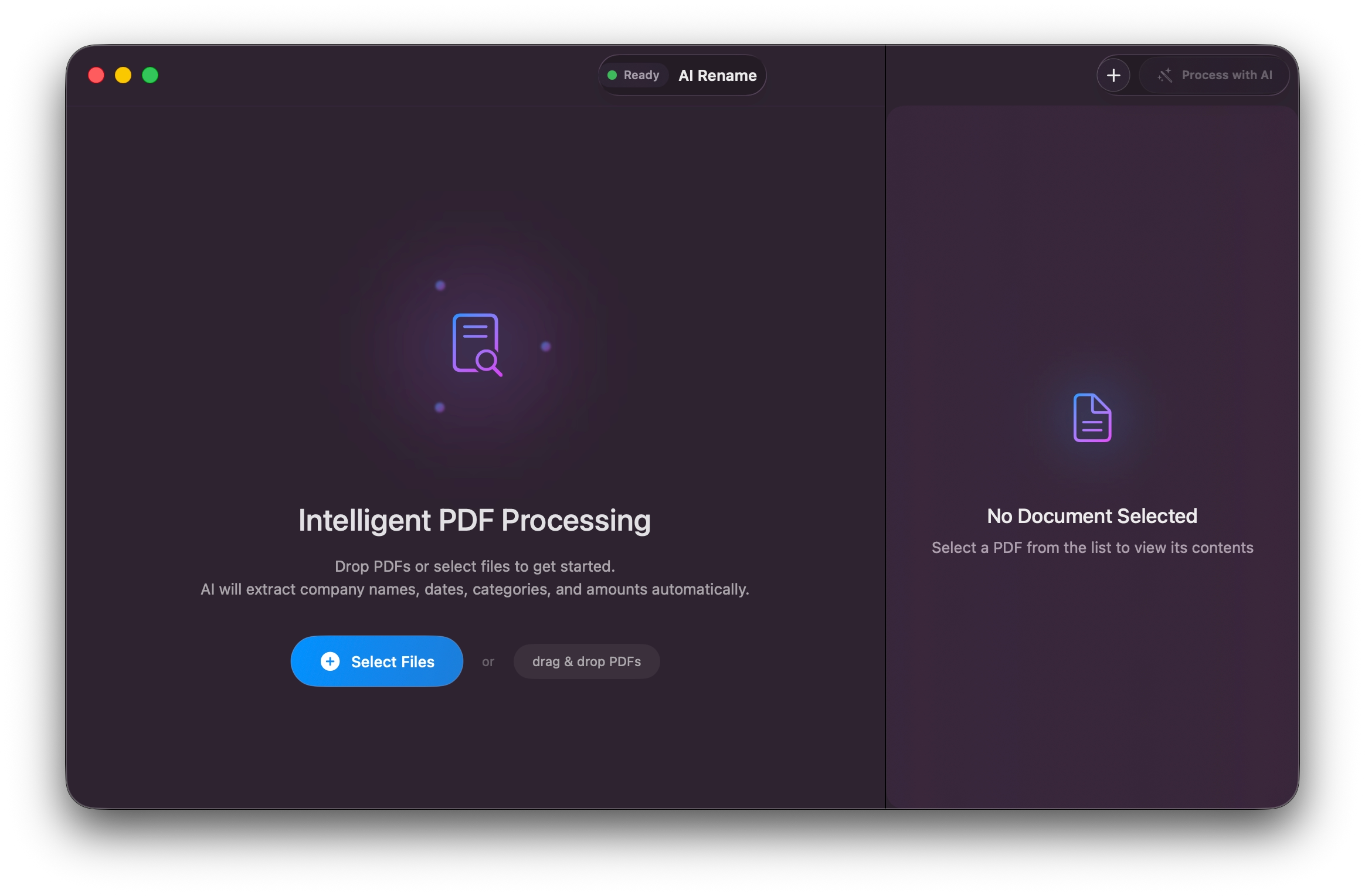
Building With AI Assistance
The development process was fascinating. Instead of writing code manually, I used AI tools to:
- Generate Swift code for complex framework interactions I'd never used before
- Debug sandbox permissions and entitlements issues
- Implement concurrency patterns using Swift's modern async/await model (AI struggled a bit with concurrency)
- Craft effective prompts for the AI renaming feature itself
- Navigate the App Store review process with proper documentation
The irony isn't lost on me: I used AI to build an AI-powered app, with no traditional coding required.
Technical Deep Dives
SystemLanguageModel Integration
One of the most interesting technical challenges was working with Apple's SystemLanguageModel API. The app needed to check availability, configure sessions with appropriate generation options, and handle responses gracefully - all while maintaining user privacy with on-device processing.
Text Extraction Pipeline
The app uses a sophisticated two-pronged approach to extract text from PDFs:
- First, attempting native text extraction with PDFKit for digital PDFs
- Falling back to Vision framework's OCR for scanned documents
This ensures maximum compatibility across different PDF types while maintaining performance.
Model Concurrency Challenges
Working with Swift's concurrency model was particularly interesting. The app handles multiple asynchronous operations - file reading, text extraction, AI processing - all while keeping the UI responsive and providing real-time feedback to users.
Key Learnings
Through this journey, I discovered several important insights:
- AI as a Development Partner: Modern AI tools can genuinely accelerate development, even in unfamiliar languages and frameworks
- Prompting is Programming: Crafting effective prompts became as important as writing code
- Framework Knowledge Still Matters: Understanding what's possible with macOS frameworks was crucial, even if I didn't write all the implementation code
- Learn Your Platform's Terminology: Not knowing the proper terms for macOS APIs and SDK concepts confused the AI. Understanding your target environment's vocabulary is essential for effective prompting
- App Store Review is Learnable: With proper preparation and documentation, the review process was smoother than expected
- Privacy by Design: Building with on-device AI isn't just about features - it's about respecting user privacy
The Meta Moment
Here's something special: the presentation I gave at Denver Cocoheads was itself generated from the app's source code using another AI-powered tool I built, with AI - MarkView.app. It's AI tools all the way down! 😱
MarkView.app transforms markdown files into beautiful presentations, and I used it to create the slides directly from code comments and documentation. The entire presentation workflow was AI-assisted, demonstrating how these tools can augment developer productivity at multiple levels.
Try It Yourself
AI Rename is available for free on the Mac App Store. If you've ever struggled with organizing poorly-named PDF files, give it a try. And if you're a developer curious about building native apps outside your comfort zone, I hope this story inspires you to take the leap.
The future of development isn't about AI replacing developers - it's about developers wielding AI as a powerful tool to build things they couldn't build alone.
Have questions about the development process or want to discuss AI-assisted development? Feel free to reach out or join the conversation at Denver Cocoheads!