Accent: Building a Private English Pronunciation Coach with Apple Intelligence
I wanted a better way to practice my English pronunciation. So I built an iPhone app with local speech recognition, Core ML sound analysis, and Apple Intelligence practice passages.
I'm French speaking, and I wanted a better way to practice my English pronunciation, even after living 20+ years in the US. Something simple: read a short passage, listen to how I said a word, compare it with a reference, and get a useful suggestion for the next attempt.
That became Accent, a native iPhone app with a fairly straightforward promise: a private English pronunciation coach in your pocket.
The interface is deliberately quiet. A passage, a record button, a few words to revisit. Underneath, there are three different kinds of machine learning doing very different jobs. Getting those jobs right turned out to be much more interesting than putting colored underlines beneath words.
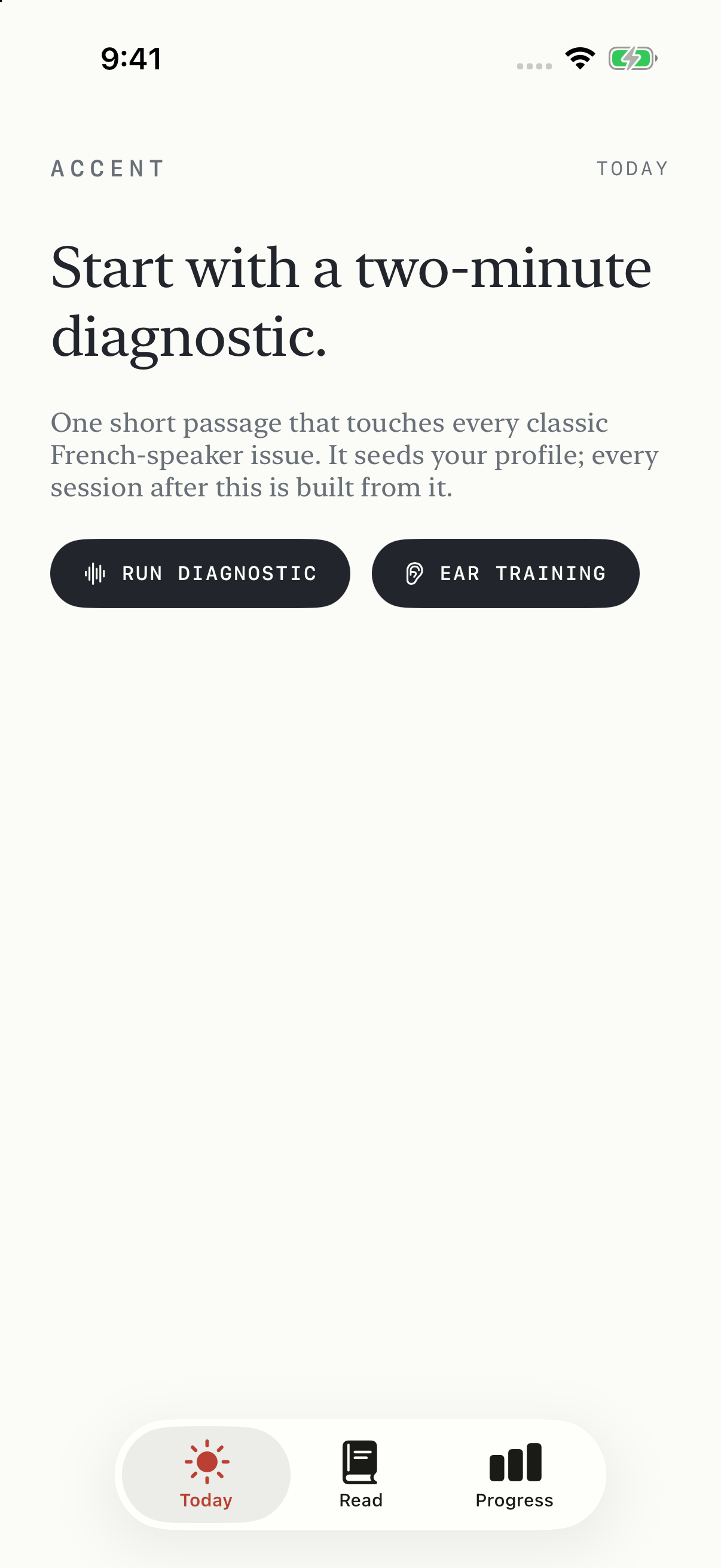
The first surprise: a native speaker gets flagged too
My first version could find differences between my pronunciation and a reference. That sounds like progress, until you try it with a native English speaker and still see plenty of yellow and red.
Listen to the two recordings, and many of those words sound perfectly reasonable. The reference might be slower. The speaker might connect words differently. Or the app might be listening to the wrong slice of audio.
That is a pretty important problem for a coach. A colored word needs to earn your attention. And once it has your attention, it needs to help you do something.
I changed the feedback to separate recognition problems from sound suggestions. A dotted underline means check what the recognizer heard. Amber means there is a sound worth listening to and practicing. Neither means you must copy the reference speaker's voice or speed.
Following the words as you read
For live transcription, Accent uses Apple's SpeechAnalyzer and SpeechTranscriber. The app sends microphone buffers into the analyzer and receives text updates with audio timing information.
Those updates are not a stream of permanently settled words. The recognizer can revise a phrase it already sent. Treat every update as new text, and the cursor starts drifting. Match a partial reading against an entire passage too aggressively, and suddenly words you have not reached are highlighted too.
Accent now replaces the transcript ranges that changed and aligns against the part of the passage you have actually reached. That makes pauses, revisions, and unfinished readings easier to handle. Live tracking still needs testing across more voices and recording conditions.
There is also an older SFSpeechRecognizer fallback, but it is allowed only when on-device recognition is supported. If local recognition is unavailable, the app explains the problem instead of sending your voice to a server.
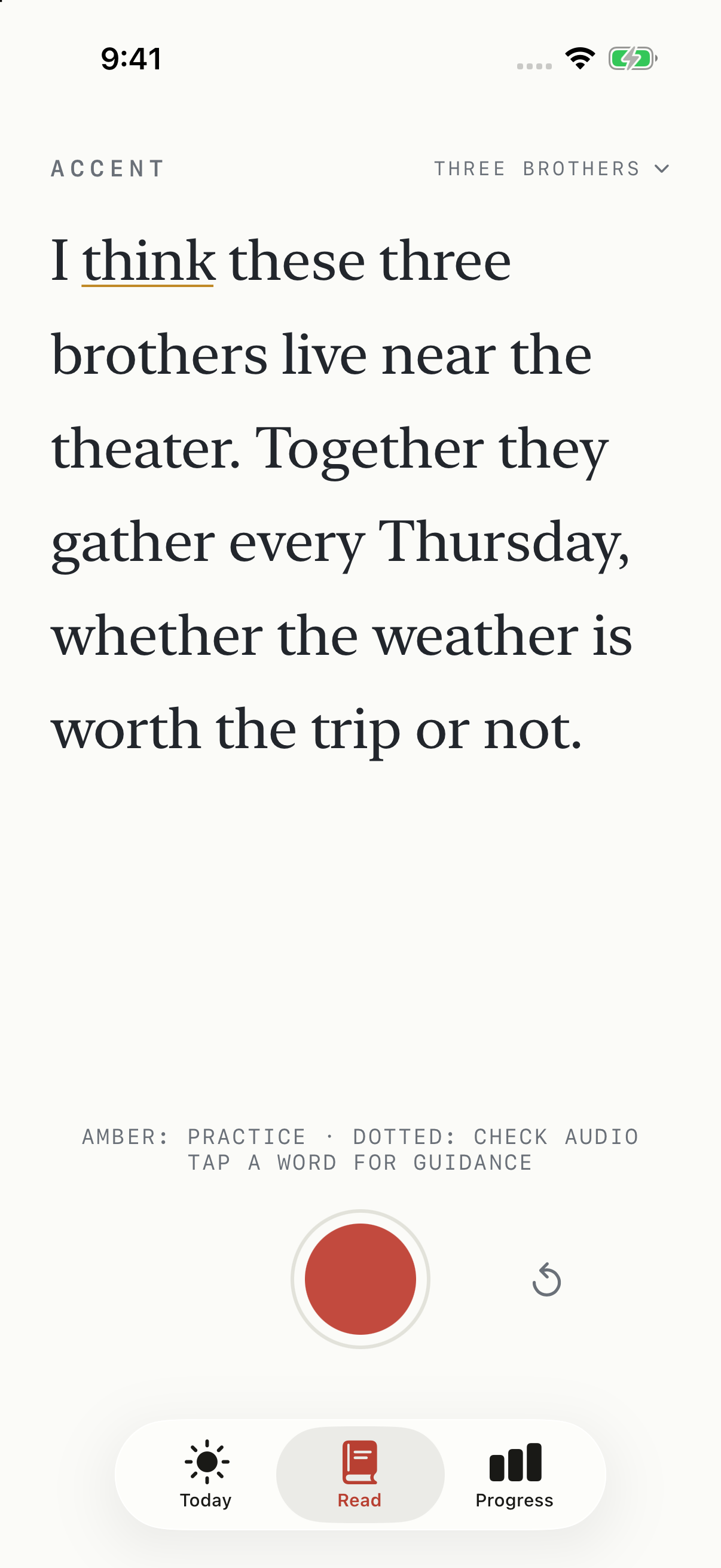
These are screenshots of the real simulator interface. The reading results are an illustrative demo fixture, not a recorded performance or an accuracy demonstration.
Understanding a word is different from judging its sounds
Speech recognition is designed to understand you. That is useful when dictating a message, but it creates an interesting problem for pronunciation practice: a recognizer can write the intended word even when one of its sounds was different.
Accent adds a separate phoneme check after the recording. It uses a MultiBridge wav2vec2 phoneme model, converted to Core ML, together with the CMU Pronouncing Dictionary. The model looks at sound evidence; the dictionary supplies expected pronunciations.
The app compares the expected sound with competing sounds and leaves unreliable evidence unassessed. I also removed recognition confidence and duration-based stress guesses as reasons to flag pronunciation. A fast word is not automatically a badly pronounced word.
This is still experimental. The upstream model documents limitations with non-native speech, and the app can produce both false suggestions and missed differences. There is more evaluation to do with recordings that were not used while adjusting the scorer.
Make the next attempt useful
A word card is where the coach has to become practical.
For a sound like the unvoiced TH in “think,” the card gives a physical cue: rest the tongue tip lightly between the teeth, keep the voice off, and let the air continue. Then repeat the word and put it back into its sentence.
With a real recording, you can play your word beside the reference and listen at a slower speed. The reference comes from Apple's speech synthesizer. Ear training adds minimal-pair listening practice, because hearing a difference is part of learning to produce it.
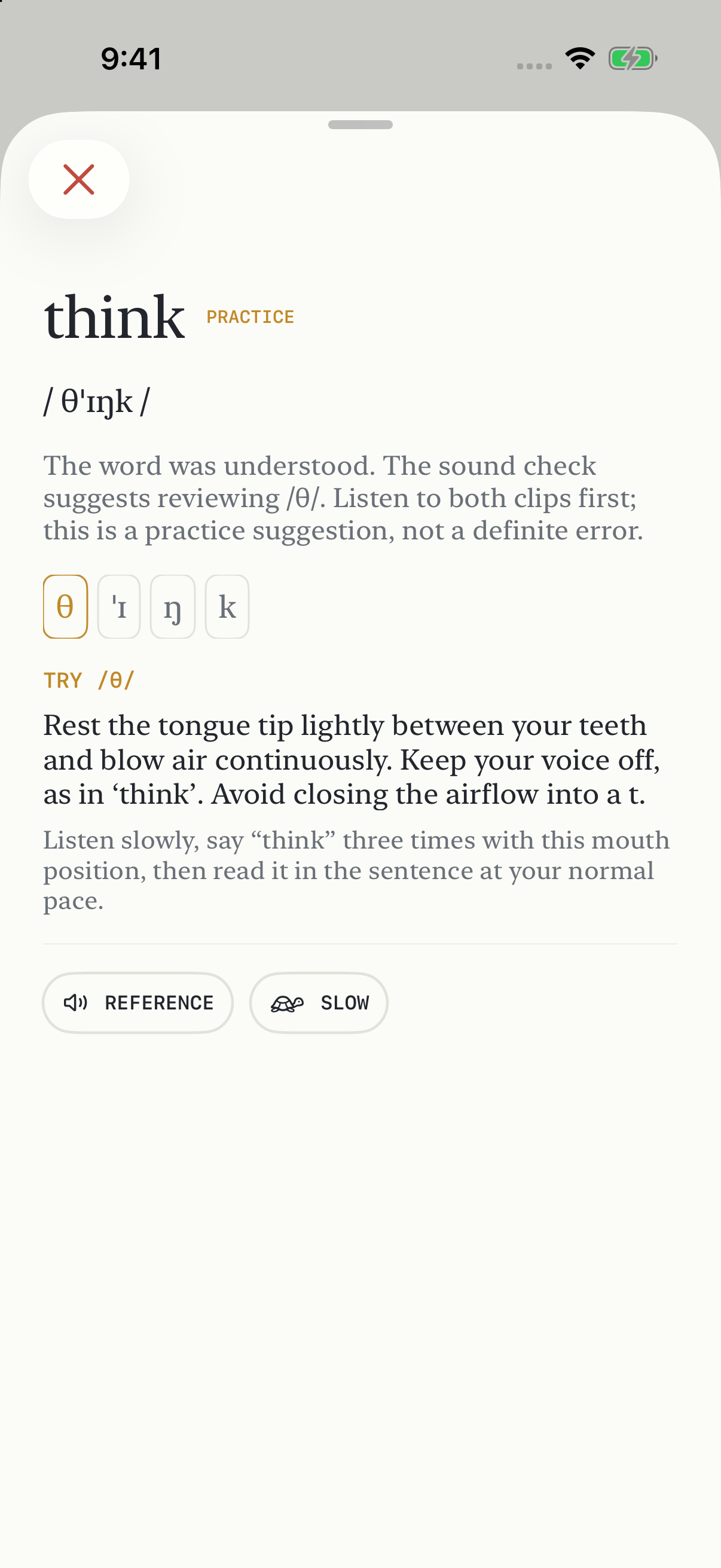
The demo has no recording, so only reference playback is shown. Actual takes also provide your recorded clip.
Where Apple Intelligence fits
Apple Intelligence writes practice material. It does not listen to the recording and decide whether I pronounced a word correctly.
Accent uses the default on-device system model through Apple's Foundation Models framework. When the model is available, a LanguageModelSession asks for a short, natural passage containing plenty of examples of a selected sound.
The response uses guided generation with @Generable. Before accepting it, the app checks that the passage actually contains several words associated with the target sound. If the model is unavailable, busy, or returns something unsuitable, a curated drill takes its place.
That separation keeps the app useful without Apple Intelligence. Speech recognition follows the reading. Core ML supplies sound evidence. The language model helps vary what you practice next.
Keeping it local
There is no account, app backend, analytics SDK, or API key to configure. Recordings live in the app's container, and SwiftData stores practice history locally. Apple may need to download speech assets, voices, or its language model before everything is available, and ordinary device backups may include app data.
Privacy also affected some less glamorous details. I removed spoken text from release-build diagnostics and made the speech fallback explicitly require local processing. Development logs can still contain transcript snippets, so they need care when sharing a bug report.
The work behind a quiet screen
Some of the most useful fixes had nothing to do with model quality. A word-detail sheet that would not close. Audio-session activation blocking the main thread. Voice discovery stalling playback. These are the things that make a small app feel unreliable even when its central idea works.
There is now one command to run the tests:
./test.sh
It runs 298 regression checks, synthetic-audio smoke tests, and five simulator UI tests, including closing the word card while reference playback is starting.
The synthetic checks are useful guardrails, but passing them does not establish pronunciation accuracy. I want to keep that distinction visible as the project develops.
Preparing to share it
I've prepared Accent's original code and documentation under the MIT license, with separate attribution for the dictionary and phoneme model. The large model weights stay out of Git; there are local conversion instructions for developers who want sound assessment enabled.
The repository is at github.com/danielwanja/accent. There is no public App Store release yet.
What I want next is better evidence: more voices, more natural readings, fewer unnecessary corrections, and clearer guidance when a sound really is worth practicing. That is the part of this project I am most interested in getting right.